Yes, we always advise that you check in online as some airlines charge an additional fee to check in at the airport.
Online check-in is also the best way to save time and money – whether you need to add extra baggage, change your seats or download your boarding passes. It’s all possible from 24 hours to 2 hours before you depart. Just make sure you check the specific details for your airline(s) as they’re not all the same.
And remember to check in for your return flight! You may be on holiday when it’s time to do this, so make sure you set a reminder. If you need to view your boarding cards, you’ll find them by logging into your account via your airline’s website or app.
If you booked your holiday after 19th November 2024:
You can check in directly on most airlines’ websites using your flight reference and surname. If you need help checking in, get in contact us on Chat.
If you booked your holiday before 19th November 2024:
If you need help checking in online, simply click the link on your booking summary or receipt and follow the instructions. We’ve also added some additional check-in information below to help you get started.
Make sure you have the following handy:
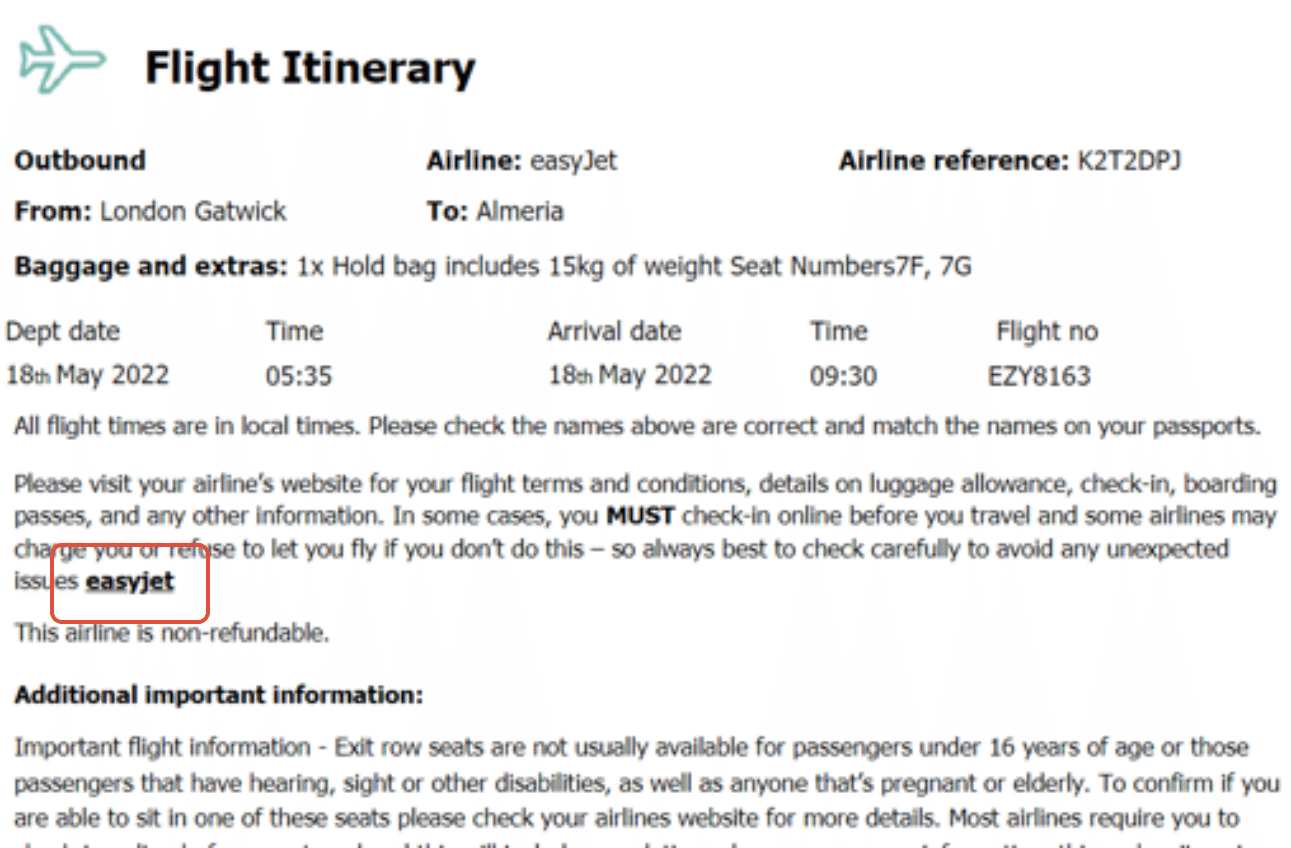
- Your flight reference from your invoice/confirmation. This is not your Thomas Cook booking reference and can be found on the ‘flights’ section of your Thomas Cook invoice labelled ‘airline reference’ or ‘flight booking number’ (see the examples below). The reference is a random selection of numbers and letters (or just letters) in any order. If you're having trouble using your airline reference on the airline’s website, please double-check you’re using the right letters and numbers, as the letters ‘I, O and Z’ can look like the numbers ‘1, 0 and 2’.
You’ll find a link to the airline’s website on your Thomas Cook invoice or vouchers, as shown below.
Look out for the ‘Check in’ section at the top of the page, like in these examples:
Here’s some check-in information by airline: