













How do I add baggage and pre book seats with TUI?

Modified on: Fri, 14 Nov, 2025 at 3:28 PM


The best way to add baggage and seats is during your holiday booking journey on our website, if they’re available to book.

If you’ve already booked and want to add them, you still can! You'll need to log on to the TUI Flight Extras website and pay them directly. We've dropped a link below to take you there but you might find it helpful to read these instructions first. And, just so you know, any flight extras you book directly with TUI won’t show on your Thomas Cook invoice / confirmation.

BOOK FLIGHT EXTRAS

Make sure you have the following handy, as you can't access your booking without it!


  • Your flight reference. This is not your Thomas Cook booking reference! You’ll find your flight reference in the Flights section of your Thomas Cook invoice, labelled ‘Airline reference’ or ‘Flight booking number’ (depending on when you booked), as in these examples:
Article Image

Or:

Article Image
  • Lead passenger surname
  • Your departure date
  • Your email address
  • Your payment card details

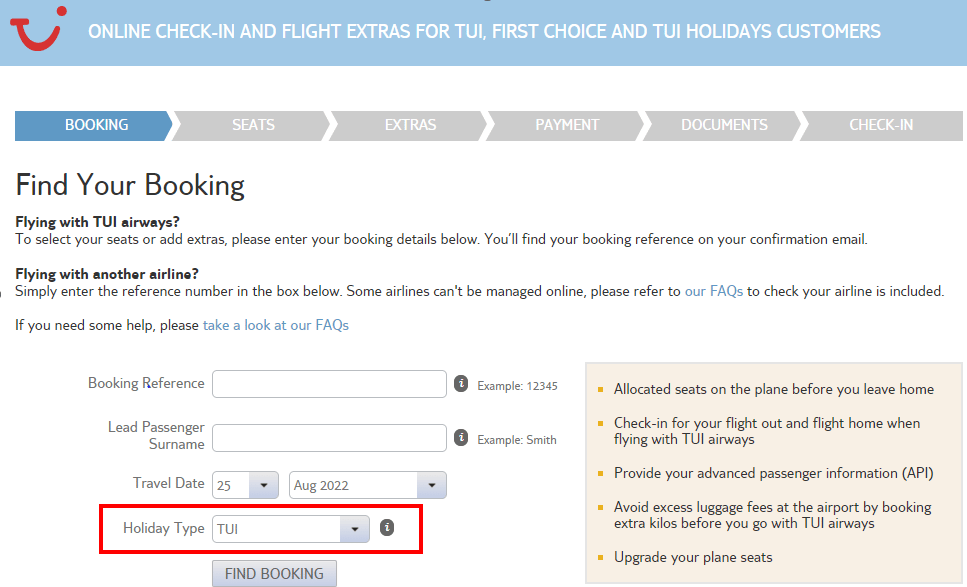
Click through to TUI Flight Extras with the link at the bottom of this page and enter your details to find your booking – your airline reference (see above) where it says ‘booking reference’, surname, departure date from the UK/NI and holiday type (select TUI).

Article Image

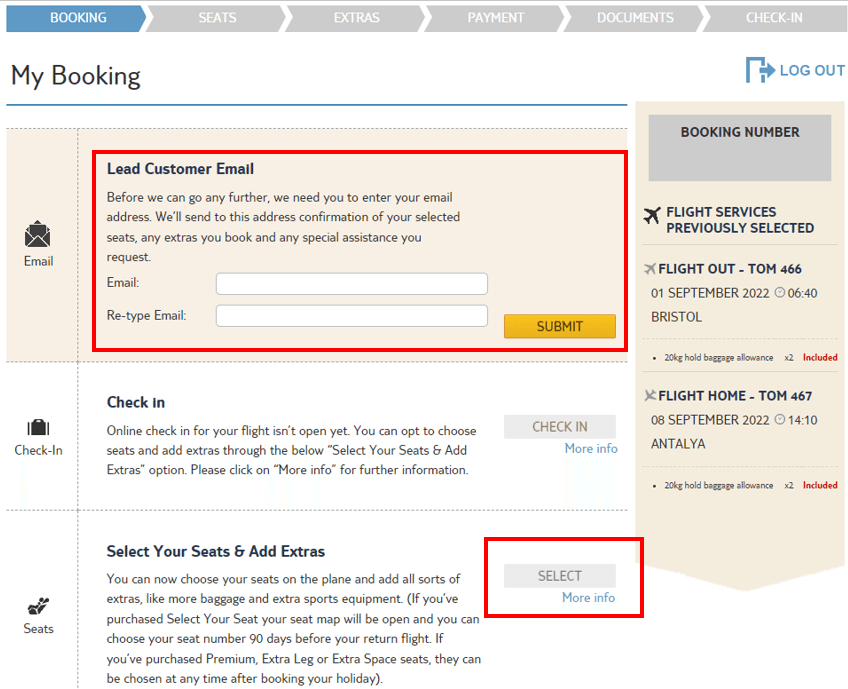
When you log in for the first time, you’ll be asked to enter your email address and then retype it (see example below).

You can then choose and pay for extra baggage, pre-booked seating and in-flight meals in the ‘Select Your Seats & Add Extras’ section shown below. Remember, you’ll need to pay TUI in full for anything you book directly with them.

Article Image
BOOK FLIGHT EXTRAS